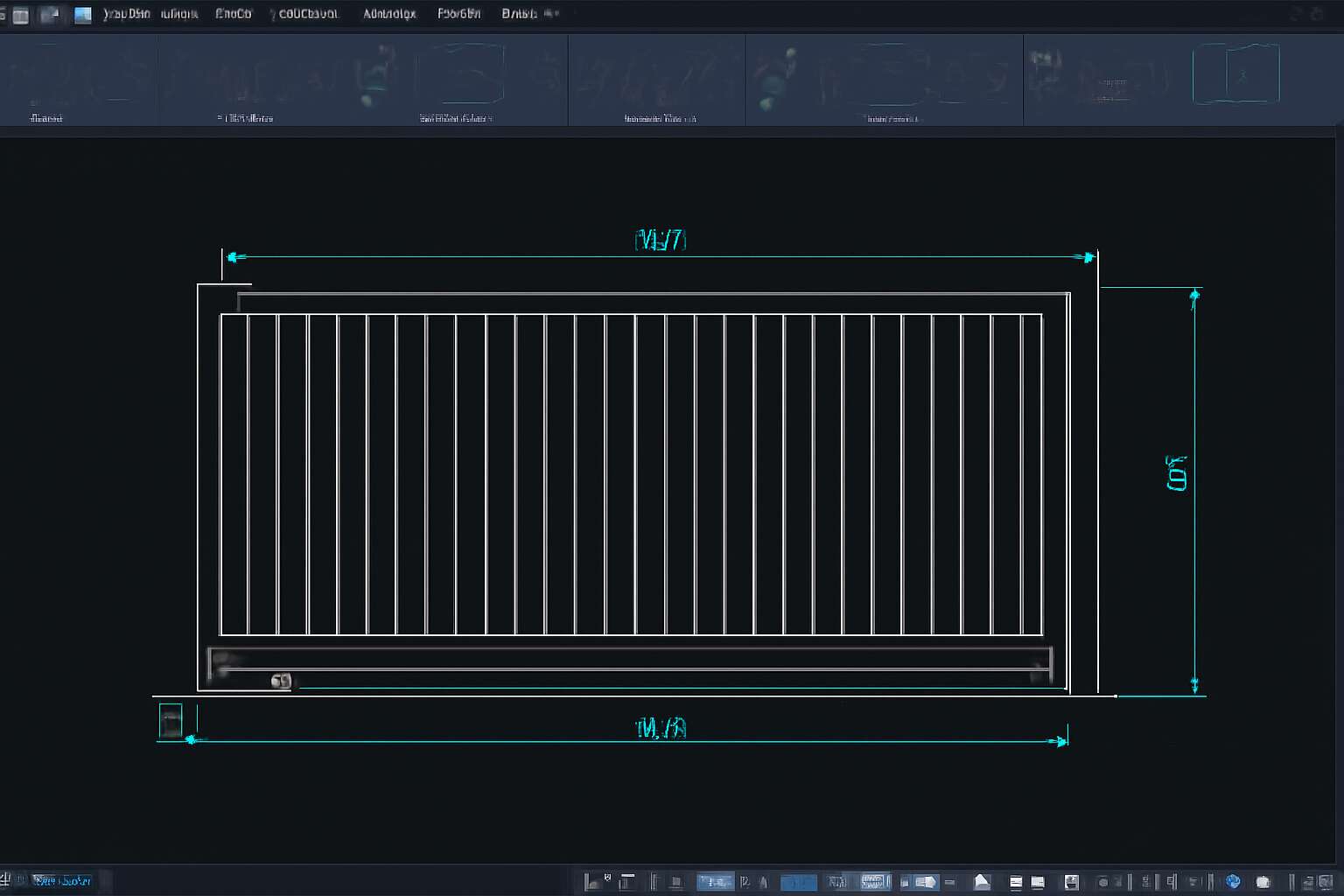
Understanding Sliding Gate CAD Blocks
Definition and Importance – What are sliding gate CAD blocks and why are they essential in architectural and construction drawings?
Imagine trying to design a sprawling estate or a sleek commercial complex without a reliable sliding gate cad block—sounds like building a house of cards, right? These digital stand-ins are the unsung heroes of architectural and construction drawings, offering precise, scalable representations of sliding gates. They’re more than just lines and shapes; they’re the blueprint’s backbone that ensures every swing, slide, and lock fits perfectly before a single brick is laid.
In the realm of CAD drafting, a sliding gate cad block isn’t just a decorative element—it’s an essential tool that streamlines the entire design process. With a comprehensive library of these blocks, architects and engineers can quickly visualize gate configurations, optimize space, and avoid costly mistakes. Given the importance of security and aesthetics in South Africa’s diverse landscape, integrating accurate sliding gate cad blocks into your plans isn’t just smart—it’s vital. This digital shorthand accelerates workflows and guarantees that every sliding gate aligns with the project’s specifications, making it an indispensable part of the modern construction toolkit.
Types of Sliding Gates – Different types of sliding gates represented in CAD blocks including manual, automated, cantilever, and tracked options
Understanding the various types of sliding gate CAD blocks is crucial for architects and engineers aiming to craft functional, aesthetically pleasing entrances. Each type of sliding gate—manual, automated, cantilever, and tracked—serves a unique purpose within the broader landscape of modern design. These CAD blocks serve as digital blueprints that bring clarity and precision to project planning, ensuring every detail aligns seamlessly with the intended function and style.
Manual sliding gates, for example, are favored for their simplicity and cost-effectiveness, often depicted in CAD blocks that highlight straightforward mechanisms and robust materials. Conversely, automated sliding gate CAD blocks open up a world of convenience, integrating motors and sensors into the digital model to simulate real-world operation with remarkable accuracy. Cantilever gates, represented in CAD blocks, are ideal for uneven terrains or long spans, lacking track contact with the ground, which makes them suitable for diverse South African landscapes. Tracked sliding gates, also available as CAD blocks, provide smooth movement along a defined path, perfect for secure commercial premises or high-traffic areas.
By leveraging a comprehensive library of sliding gate CAD blocks, professionals can compare different configurations, visualize spatial dynamics, and tailor solutions that meet specific security and aesthetic requirements. Incorporating these varied types into your CAD drawings isn’t just practical—it transforms the design process into an exercise of innovation and precision, capturing the essence of modern construction’s forward-thinking spirit.
Advantages of Using CAD Blocks – Efficiency, accuracy, and consistency in design projects
Using sliding gate CAD blocks isn’t just a matter of convenience; it’s a game-changer for efficiency, accuracy, and consistency in design projects. Imagine trying to piece together a complex puzzle without the picture on the box—that’s what designing without CAD blocks feels like. These digital blueprints streamline the entire process, allowing architects and engineers to visualize, modify, and perfect their sliding gate designs with minimal fuss.
One of the standout advantages of employing a sliding gate CAD block is the precision it offers. Every detail, from the track to the motor placement, is depicted with exact measurements—no room for guesswork or costly mistakes. Plus, these blocks foster consistency across multiple projects, ensuring your designs maintain a professional standard that’s both reliable and repeatable. Whether you’re crafting a manual gate for a quaint South African estate or a high-security automated gate for a commercial property, a well-chosen sliding gate CAD block provides the backbone of your digital blueprint.
In the end, integrating sliding gate CAD blocks into your workflow isn’t just about saving time; it’s about elevating your entire design game—making each project a seamless blend of form and function. Who knew digital blueprints could be so powerful?
Features of High-Quality Sliding Gate CAD Blocks
Standardization and Compatibility – Ensuring CAD blocks meet industry standards and are compatible with various CAD software
In the realm of modern construction, the backbone of seamless design integration lies in the standardization of sliding gate CAD blocks. High-quality sliding gate CAD blocks are meticulously crafted to meet rigorous industry standards, ensuring that every element aligns with both technical precision and aesthetic harmony. When these CAD blocks adhere to recognized standards, they become versatile tools that can be effortlessly integrated across various CAD software platforms, from AutoCAD to Revit. This compatibility is essential in South Africa’s diverse architectural landscape, where projects demand adaptability and reliability.
Standardization not only guarantees consistency but also fosters efficiency, minimizing errors during design phases. The best sliding gate CAD blocks are engineered with compatibility in mind, enabling architects and engineers to incorporate them into complex projects without hassle. This interoperability is especially vital in fast-paced environments, where time is of the essence and precision is paramount. By choosing CAD blocks that meet industry standards, professionals can rest assured that their designs will translate smoothly from digital models to real-world installations, elevating the quality of every project they undertake.
Detail Levels and Layers – Importance of detailed designs and organized layer management
When it comes to high-quality sliding gate CAD blocks, detail levels and layered organization are the unsung heroes behind flawless architectural designs. Think of these CAD blocks as the Swiss Army knives of construction—versatile, precise, and ready for any challenge. The magic lies in the meticulous attention to detail, ensuring that every element of the sliding gate CAD block is crafted to scale and proportion, reducing the chances of errors during implementation.
Layers are the backbone of organized design, allowing architects and engineers to toggle visibility, assign different materials, or prepare drawings for various stages seamlessly. A well-structured sliding gate CAD block uses a logical layering system—perhaps one layer for the frame, another for the automation components, and yet another for decorative elements—making editing and customization a breeze. This layered approach ensures that modifications don’t turn into a tangled mess, saving valuable time and promoting consistency across projects.
Features such as detailed component representations and multi-level detail options not only enhance visual clarity but also facilitate precise manufacturing and installation. For instance, a detailed CAD block might include the sliding mechanism, lock hardware, and aesthetic finishes, all in one package. When these features are organized into distinct layers, professionals can effortlessly manage complex projects without losing their sanity—or their way in the digital jungle.
Customization Options – Flexibility to modify CAD blocks for specific projects
When it comes to customizing sliding gate CAD blocks, flexibility is the cornerstone of excellence. High-quality CAD blocks are designed to adapt seamlessly to the unique specifications of each project, whether it’s a sleek modern estate or a rugged industrial perimeter. The ability to modify these CAD blocks ensures that architects and engineers can tailor every detail— from the size and style of the frame to the intricacies of automation components—without sacrificing precision or efficiency.
Advanced CAD blocks often feature multiple customization options, allowing users to adjust dimensions, materials, and hardware placements with ease. This adaptability not only streamlines the workflow but also elevates the overall aesthetic and functional integrity of the design. For example, professionals can select from a variety of decorative finishes or automation mechanisms, all within a single, versatile CAD block. Such flexibility transforms a standard sliding gate CAD block into a bespoke element, perfectly aligned with the vision of each project.
How to Choose the Right Sliding Gate CAD Block
Material and Design Representation – Choosing CAD blocks that accurately depict materials like iron, wood, or aluminum
Choosing the right sliding gate CAD block material and design representation is crucial for creating accurate and realistic construction drawings. The material depicted in a CAD block can significantly influence the perceived durability and aesthetic appeal of the gate, whether it’s iron, wood, or aluminum. For example, an iron sliding gate CAD block should feature bold, textured lines to suggest strength, while a wooden gate might require detailed grain patterns to convey warmth and craftsmanship.
Visual clarity is essential. When selecting a sliding gate CAD block, consider how well it represents the material’s characteristics at different levels of detail. A good CAD block should allow for customization, enabling designers to adjust the texture, shading, and layer settings to match project specifications. This flexibility ensures that the final design is both accurate and aligned with client expectations.
Additionally, pay attention to the design representation—whether it’s a simplified outline or a highly detailed depiction. An effective approach involves using a combination of line types and hatching techniques to differentiate materials within the same CAD block. This layered method enhances comprehension and ensures that every element of the sliding gate is visually distinct, making it easier for contractors and architects to communicate their intent clearly.
Size and Scale Considerations – Selecting CAD blocks scaled appropriately for your project
Choosing the right size and scale for your sliding gate CAD block isn’t just a technical detail—it’s the difference between a flawless design and a costly oversight. In rural South Africa, where space and functionality often dictate gate design, selecting an appropriately scaled CAD block ensures your drawings are both accurate and practical. An oversized CAD block can clutter your plans, while one too small might obscure crucial details. The key is to match the CAD block’s scale to the actual dimensions of the gate, ensuring every line and symbol reflects reality.
When incorporating a sliding gate CAD block into your project, consider the overall scale of your drawings. For larger, industrial gates, a scale of 1:50 or 1:100 is often suitable, providing enough detail without overwhelming the layout. Conversely, smaller residential gates may require a more detailed scale like 1:20 to capture fine craftsmanship. Remember, consistent scaling across all CAD blocks promotes clarity and reduces confusion during construction. After all, a well-scaled CAD block is the silent language of precision in architectural drawings, conveying your vision with clarity and confidence!
Source and Quality Assurance – Opting for reputable libraries and verified CAD block sources
Choosing the right source for your sliding gate CAD block can be a decisive factor in achieving a seamless design process. In a landscape flooded with countless repositories, opting for reputable libraries and verified CAD block sources is not just prudent—it’s essential. A trustworthy CAD block provider guarantees that every detail aligns with industry standards, minimizing costly errors during construction.
When searching for a sliding gate CAD block, look for platforms that offer high-quality, meticulously curated files. These sources often provide updates and revisions, ensuring your designs stay current with evolving standards. To safeguard your project’s integrity, verify the origin of your CAD blocks and prioritize those with positive reviews and consistent quality assurance.
In the realm of CAD design, reliability isn’t an option—it’s the foundation of precision. Ensuring your sliding gate CAD block comes from a verified source secures clarity, accuracy, and efficiency in every line drawn.
Where to Find Reliable Sliding Gate CAD Blocks
Online CAD Block Libraries – Popular platforms and repositories offering free and paid CAD blocks
In an era where precision and efficiency dictate the pace of construction and architectural design, finding reliable sources for sliding gate CAD block becomes increasingly critical. The digital landscape offers a wealth of CAD block libraries—platforms where creativity meets technical accuracy. These repositories are not just repositories of files; they are gateways to streamlined workflows, fostering consistency across projects. When searching for a sliding gate CAD block, the emphasis should be on quality, compatibility, and detail. Reputable platforms such as Autodesk’s online library, GrabCAD, and CADdetails provide a curated selection, often with both free and paid options, ensuring designers can find exactly what they need without sacrificing accuracy. The challenge lies in discerning which source offers verified, industry-standard CAD blocks that can truly elevate the quality of your drawings.
Quality CAD block libraries often feature a variety of options tailored to different project requirements. From simple manual sliding gates to complex automated systems, these resources ensure flexibility and customization. Moreover, the best repositories organize their CAD blocks by detail level and layer management, which simplifies integration into existing projects. By choosing a dependable source, architects and engineers in South Africa can confidently incorporate a sliding gate CAD block that aligns with local standards and project scales. The pursuit of excellence in design begins with reliable tools—because every line and detail matters when visualizing the future of architecture.
Architectural and Construction Software Extensions – Built-in libraries and plugins for CAD software
Finding reliable sources for a sliding gate CAD block is crucial for ensuring precision and consistency in your architectural or construction project. Many professionals turn to built-in libraries and plugins integrated with popular CAD software, as these often provide a seamless experience. Modern CAD programs like AutoCAD and Revit come equipped with extensive extensions that include a variety of sliding gate CAD blocks, covering different styles and complexities. These built-in resources are regularly updated and vetted, reducing the risk of errors and ensuring compatibility with industry standards.
Additionally, dedicated software extensions and plugins tailored for architectural design often feature specialized CAD blocks for sliding gates. They can include detailed representations of materials and mechanisms, helping architects and engineers visualize the final product more accurately. Some platforms even allow for customization or scaling of these CAD blocks, making it easier to adapt them to specific project requirements. Whether you need a simple manual sliding gate or an advanced automated system, these tools provide reliable options to streamline your workflow.
Custom CAD Block Creation Services – Getting customized CAD blocks made for specific project needs
When your project demands a unique touch, relying solely on standard sliding gate CAD block templates might not suffice. Custom CAD block creation services emerge as indispensable allies in tailoring designs to fit precise specifications. These services offer the flexibility to modify existing CAD blocks or craft entirely new ones, ensuring your sliding gate CAD block aligns perfectly with your architectural vision and structural requirements. Whether you need intricate detailing or simple representations, professional CAD designers can adapt materials, mechanisms, and dimensions seamlessly.
Opting for reputable CAD design studios or specialized platforms guarantees high-quality, dependable output. Many providers also offer scalable CAD blocks, allowing you to adjust the size without compromising detail or accuracy. Engaging with such services not only enhances design precision but also accelerates project timelines—an essential advantage in South Africa’s evolving construction landscape.
Best Practices for Using CAD Blocks in Your Projects
Proper Insertion and Positioning – Techniques for accurately placing sliding gate CAD blocks within drawings
When integrating a sliding gate CAD block into your project, precision is paramount. Proper insertion and positioning can dramatically influence the overall aesthetic and functionality of your design. A common mistake is overlooking the importance of aligning the CAD block to the correct layer, ensuring it interacts seamlessly with other components within your drawing. This meticulous attention to detail guarantees that the sliding gate CAD block remains true to scale, preserving proportionality across different sections of your project.
To achieve flawless placement, consider utilizing the snap and grid functions within your CAD software. These tools facilitate accurate alignment, especially when working with complex or multi-layered designs. For optimal results, follow a systematic approach: first, identify the precise location for the sliding gate, then adjust the CAD block’s insertion point accordingly, and finally, verify its position from multiple viewpoints. This disciplined method not only enhances visual clarity but also ensures consistency across your architectural drawings.
Incorporating a sliding gate CAD block with careful attention to detail elevates your project, merging technical mastery with artistic finesse. Remember, the key lies in the harmonious balance between precision and flexibility—allowing you to customize the CAD block while maintaining accurate placement. Whether you’re designing a modern automated gate or a traditional manual sliding entry, these best practices ensure your CAD drawings reflect both beauty and functionality.
Layer Management and Organization – Maintaining clean and manageable CAD files
Effective layer management transforms complex CAD projects into streamlined masterpieces. When working with a sliding gate CAD block, organizing your CAD files meticulously isn’t just a good practice—it’s essential for maintaining clarity and efficiency. A cluttered drawing with misplaced components can lead to costly errors and delays, especially when dealing with detailed architectural features like sliding gates.
To keep your CAD workspace manageable, adopt a systematic approach to layer management. Use dedicated layers for different elements such as structural components, electrical wiring, and sliding gate CAD blocks. This not only enhances visual clarity but also simplifies editing and updates. Clear layer labels and consistent naming conventions ensure that every team member can navigate the project seamlessly, regardless of its size or complexity.
In addition, leveraging the organizational tools within your CAD software—such as layer filters and color-coding—helps maintain a polished, professional drawing environment. When your sliding gate CAD block is placed on its appropriate layer, it interacts harmoniously with other design elements, supporting both precision and aesthetic harmony. Maintaining such discipline in layer management ultimately results in more accurate, efficient, and visually compelling architectural and construction drawings.
Regular Updates and Version Control – Ensuring CAD blocks are up-to-date and compatible with current software versions
Ensuring your sliding gate CAD block remains current isn’t just a matter of convenience—it’s a vital safeguard against costly design flaws. Outdated CAD blocks can cause mismatched components or incompatible elements, leading to delays and errors on site. Regular updates and diligent version control transform what could be chaos into a symphony of precision.
Incorporate a disciplined approach by maintaining a clear revision history and storing your sliding gate CAD block in a dedicated, organized library. This way, when project specifications evolve or new standards emerge, your CAD blocks stay aligned with the latest industry requirements.
Adopting a systematic process—such as numbered versioning or timestamped filenames—ensures everyone on the team works with the most current version. Remember, in the world of architectural and construction design, a single outdated CAD block can ripple into costly mistakes. Staying vigilant with updates preserves the integrity of your drawings and keeps your project marching forward smoothly.
SEO Tips for Optimizing Content Related to CAD Blocks
Keyword Usage and Placement – Effective incorporation of ‘sliding gate CAD block’ in headings, meta descriptions, and content
In the competitive landscape of architectural and construction design, the strategic placement of keywords such as “sliding gate CAD block” can significantly boost your content’s visibility and relevance. When optimizing your article, it’s crucial to incorporate the keyword seamlessly into headings, meta descriptions, and body content. This natural integration not only improves search engine rankings but also enhances readability for your audience.
Effective keyword placement begins with crafting compelling headings that include “sliding gate CAD block,” such as “Enhancing Designs with a Precise Sliding Gate CAD Block.” In meta descriptions, highlight the benefits and applications of these CAD blocks, enticing users to explore further. Within the content, diversify sentence structure to maintain an engaging narrative while ensuring the keyword appears at strategic points—preferably in the opening paragraph and sprinkled throughout the text. Remember, overstuffing can harm readability, so aim for a balanced density around 1%.
- Use synonyms or related phrases like “CAD block for sliding gates” to diversify your language.
- Ensure the keyword naturally fits within the context, avoiding forced insertion.
- Leverage descriptive language to emphasize the precision and utility of a sliding gate CAD block in various projects.
By meticulously managing keyword placement and maintaining a reader-friendly tone, your content about sliding gate CAD block will resonate with both search engines and professional readers in South Africa and beyond, establishing authority and driving engagement.
Creating Descriptive Metadata – Using alt texts and image descriptions for better visibility
Unlock the true potential of your architectural visions by harnessing the power of a well-crafted sliding gate CAD block. In a realm where precision meets creativity, incorporating a sliding gate CAD block seamlessly into your design projects elevates both efficiency and aesthetic appeal. When embedding this essential element into your CAD files, ensure your metadata—particularly alt texts and image descriptions—are rich with relevant keywords. This not only enhances visibility but also invites your audience into a world of detailed, accurate representations.
Imagine a digital library where every sliding gate CAD block is meticulously tagged and described: this is the secret to standing out in bustling online repositories. Use descriptive language to depict the materials and mechanisms—whether iron, wood, or aluminum—to create a vivid picture that resonates with clients and colleagues alike. Remember, strategic keyword placement within image descriptions invites search engines to recognize your work, drawing more traffic to your portfolio and reinforcing your mastery in the field.
Link Building and Resource Sharing – Engaging with industry-specific platforms and promoting quality backlinks
In the bustling world of architecture and construction, standing out is no longer just about innovative designs—it’s about strategic online presence. Did you know that a well-optimized CAD block can multiply your project visibility exponentially? Incorporating the right SEO tactics, especially in the realm of sliding gate CAD block content, can turn your digital portfolio into a magnet for industry professionals and clients alike.
Link building and resource sharing are your secret weapons for elevating your SEO game. Engaging with industry-specific platforms—be it CAD forums, architectural blogs, or construction networking sites—creates a web of authoritative backlinks that search engines adore. Think of it as building a sturdy digital bridge; the more reputable the sources linking to your sliding gate CAD block, the higher your content ranks in search results. And don’t forget to share your resources generously—guest posting, participating in CAD-related webinars, and exchanging CAD blocks in reputable repositories can significantly enhance your online footprint.
- Identify high-authority industry platforms that cater to CAD professionals and architects.
- Contribute valuable content and showcase your sliding gate CAD block in relevant articles or tutorials.
- Include natural, keyword-rich backlinks within your shared content to amplify your SEO impact.
Remember, quality over quantity reigns supreme—aim for backlinks from sources that resonate with your target audience and uphold industry standards. This not only boosts your credibility but also invites search engines to recognize your expertise in sliding gate CAD block design. When resource sharing is executed thoughtfully, your content becomes an indispensable part of the digital architecture community, ensuring your sliding gate CAD block stands tall among the online giants.




0 Comments